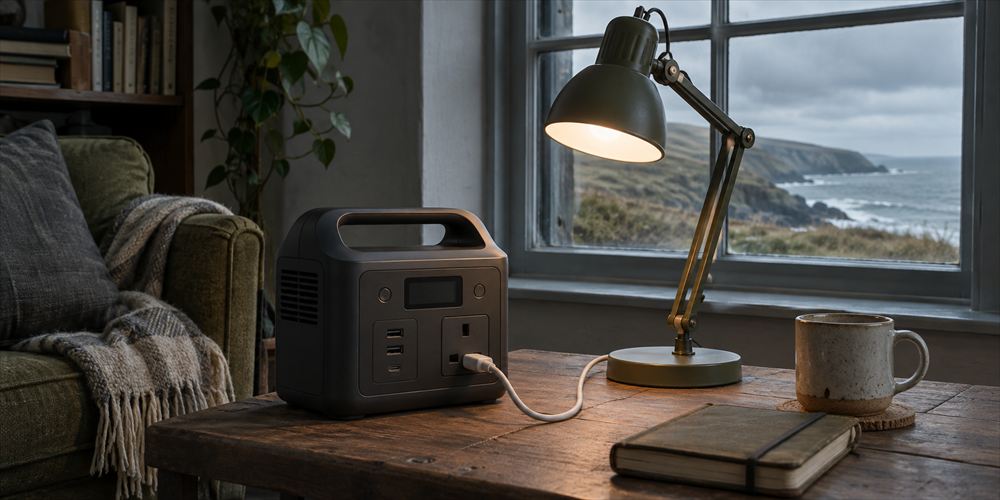
A battery labelled 500 Wh looks large until you ask it to power a heater. Another unit advertises 1,000 W, which sounds as if it stores twice as much. Those numbers describe different things. A station’s watt-hours tell you about its energy storage. Its watts tell you how much power it can deliver at a particular time. You need both figures, and a short list of devices, to decide what will work in your home.
Start with a job. Perhaps you need a lamp and a way to charge two phones for one night. Perhaps you want a laptop and home broadband to work for three hours while the network is available. The job tells you which outputs, cables and capacity to compare.
Measure the load before comparing battery sizes
- List the devices you plan to use. Separate the ones that need to run continuously from ones you will use in short bursts. Note what can wait until the power returns.
- Find the power draw in watts. Check labels and manuals, and use a suitable plug-in energy monitor for ordinary compatible plug-in devices if safe to do so. A charger’s rating may be a maximum. Actual use can vary with the device and what it is doing.
- Estimate the energy needed. Multiply watts by hours for each load and add the totals. For equipment that switches on and off, check its energy use over a representative period or use the manufacturer’s figures.
- Check the simultaneous load and start-up needs. Add the watts of devices you expect to run at the same time. Some motors or compressors need extra power to start. Verify that both the ordinary and starting load are within the station’s relevant ratings.
Take a simple evening example. A router and fibre box together draw an assumed 18 W for six hours, using 108 Wh. A lamp draws 8 W for four hours, using 32 Wh. A laptop draws 40 W for two hours, using 80 Wh. The total is 220 Wh before any phone charging, losses or reserve. At the moment all three loads run, they require a combined 66 W. Those example figures show how the calculation works. Measure or check your own equipment before buying.
A unit rated at 220 Wh would be a poor fit for that plan because the full nameplate capacity is unlikely to reach the appliances. Power conversion, the battery’s condition and the station’s own running consumption all affect the result. Use the manufacturer’s estimates and leave headroom. A 500 Wh battery divided by a steady 100 W load gives five hours on paper before losses. For a decision that depends on running time, test the real setup.
Read the specifications that affect the job
- Continuous and surge output. Compare the continuous rating with what you expect to run together. Check the surge rating and the manufacturer’s stated limits for how long it can supply that load.
- Ports and cables. Check the socket type and each port’s output. Some laptops need a particular USB-C power profile and cable. Verify the total available output when several ports are in use.
- Charging options. Check how you can recharge the station when mains power is unavailable and how long that will take. For solar, confirm the manufacturer’s input range, connector and permitted panel setup. Output in real conditions depends on sunlight and placement.
- Storage and handling. Compare weight, carrying handles and the space needed around the unit. Choose somewhere dry and stable where you can use it without blocking an escape route or stretching a lead across a walkway.
- Support and instructions. Buy from a reputable supplier. Check the manual, compatible chargers, warranty arrangements and who to contact if the unit is damaged or recalled.
If you want a device to keep running when mains power drops, find out whether the station is designed for that mode. Check switching time, rated load, conditions for pass-through use and what happens after the battery empties. A station’s socket layout alone tells you little about this. Confirm the appliance manufacturer’s requirements as well. If the device is part of a safety system, ask its provider which backup arrangements it supports.
Work out whether a smaller backup meets the same need
A phone, a battery lantern and a radio may already cover what you need for information and light. If your only job is recharging phones, a compatible power bank may be easier to keep charged and carry. If you need broadband, check whether your provider supplies a compatible battery backup and whether the local network can operate during a cut. Power at your own router cannot restore equipment further up the line that has gone offline.
If you want a fridge to stay cold, compare the length of outage you are planning for with the food safety advice for a closed appliance. Verify the electrical specifications and likely running time before assuming a particular battery can help. Heating and kettles can use a large share of a battery in a short time. Layers, a torch and meals that require no cooking can leave more energy available for communications.
Compare the total cost of the setup
Put the station, cables, any approved charging equipment and storage space on the same comparison sheet. Check whether the quoted output refers to the socket you will use. If a bundle includes a solar panel, estimate how often you can put it in a safe, suitable location and whether it will provide the recharge you expect at that time of year. Compare the fallback you already have before paying for a feature that only works at home in good weather.
For a typical evening, rank the jobs in order. The phone can be charged first so you can report the cut. The lamp can run while you make arrangements. You might save the laptop charge for morning if the outage is expected to last. Pick a point at which you will switch to your next option, such as visiting a confirmed place with power. Planning when to stop using the battery prevents the most important load from having to share its last charge with everything else.
Test the setup and give it a safe place to live
Read the instructions for charging, use and storage before connecting anything. Use the supplied or approved charger and keep the unit uncovered, ventilated and away from flammable materials. Avoid leaving it charging while asleep or away. Keep it dry and stop using a unit that is damaged, unusually hot or swollen. Follow the manufacturer’s advice and contact it about next steps. Use a portable unit only as instructed. Connecting an independent supply to fixed wiring needs a suitably designed and professionally installed arrangement.
When you first use it, try one planned non-essential load while you can observe it. Note the time, what is connected and how quickly the charge falls. Add the other approved loads and check the available ports, noise and shut-off settings. Record the result in your household plan. Put the cables in one place and schedule the checks recommended by the manufacturer. A realistic running-time estimate, an agreed safe location and a fallback for when the battery runs out matter as much as the number printed on the box.
ORIGINAL RESEARCH CHECKED / 9 NOVEMBER 2026
Official sources
- EcoFlow: How capacity and output affect running time ↗
- Anker: Example UK power station specifications and storage instructions ↗
- London Fire Brigade: Battery and charger safety ↗
- UK Government: Power cuts and essential equipment ↗
Confirm the latest guidance before acting.
YOUR NEXT STEP
Decide what needs power, for how long and what you will do when the battery runs down.
Find your Exit Plan